Feature
Feature
Cockpit
One browser tab that shows what is going on in your Bridge and lets you act on it: the briefing, your inbox and tasks, the agent tabs that wait for a yes, your Claude sessions, the workers and the tokens of the week. It runs on your own computer, answers only on 127.0.0.1, and every button goes through a script the Bridge already has.
Ein Browser-Tab, der zeigt, was in deiner Bridge los ist, und dich direkt handeln lässt: das Briefing, deinen Posteingang und deine Aufgaben, die Agent-Tabs, die auf ein Ja warten, deine Claude-Sitzungen, die Worker und die Tokens der Woche. Das Cockpit läuft auf deinem eigenen Rechner, antwortet nur auf 127.0.0.1, und jeder Knopf geht über ein Skript, das die Bridge ohnehin hat.
Below runs the real cockpit page with invented data. Click the tabs, open a row, ask the chat. The demo itself sends nothing, so nothing can break.
Unten läuft die echte Cockpit-Seite mit erfundenen Daten. Klick die Tabs durch, öffne eine Zeile, frag den Chat. Die Demo selbst sendet nichts, also kann nichts kaputtgehen.
Open the demo full screen →Demo im Vollbild öffnen → Read the full guide →Die ganze Anleitung lesen →
pages in the demo, from Start and Today to Sessions, Usage and Jev
Seiten in der Demo, von Start und Heute bis Sitzungen, Verbrauch und Jev
requests leave the demo: the data is invented inside your browser
Anfragen verlassen die Demo: die Daten entstehen in deinem Browser
verbs on the server's fixed list, each argument checked by type. Nothing else runs
Verben auf der festen Liste des Servers, jedes Argument nach Typ geprüft. Sonst läuft nichts
switches that send something out or act for you, all off until you switch them on
Schalter, die etwas nach außen senden oder für dich handeln, alle aus, bis du sie einschaltest
What a click does
Was ein Klick tut
A verb, a check, and a script the Bridge already has
Ein Verb, eine Prüfung und ein Skript, das die Bridge schon hat
The cockpit adds no second way to change things. A button sends one verb to a small server on your own computer, the server checks it and runs the same script you would run by hand.
Das Cockpit bringt keinen zweiten Weg mit, etwas zu ändern. Ein Knopf sendet ein Verb an einen kleinen Server auf deinem eigenen Rechner, der Server prüft es und startet dasselbe Skript, das du auch von Hand starten würdest.
- 1You clickDu klickst
- 2The local server checksDer lokale Server prüft
- 3A Bridge script runsEin Bridge-Skript läuft
- 4Files and tabs changeDateien und Tabs ändern sich
- 5Nothing leaves without your click or a switchNichts geht raus ohne deinen Klick oder einen Schalter
A script runs only from the Bridge's own list: briefing.py, inbox.py, workplace.py, task.py, bridge-resources.py, triage.py and the cmux layout script. Every argument is a separate word, and whatever the page does to an agent tab goes through workplace.py and its terminal driver.
Ein Skript läuft nur aus der eigenen Liste der Bridge: briefing.py, inbox.py, workplace.py, task.py, bridge-resources.py, triage.py und das cmux-Layout-Skript. Jedes Argument ist ein eigenes Wort, und was die Seite mit einem Agent-Tab macht, geht über workplace.py und seinen Terminal-Treiber.
inbox.py run.
Nichts auf der Seite kostet Tokens, bis du einen Knopf drückst, der Claude fragt, mit einem Modell sortiert oder prüft, oder einen Agent-Tab öffnet. Eine Posteingangs-Aktion, die du freigibst, läuft trotzdem erst beim nächsten inbox.py run.
What you see
Was du siehst
Your day, your agents, your quota
Dein Tag, deine Agenten, dein Kontingent
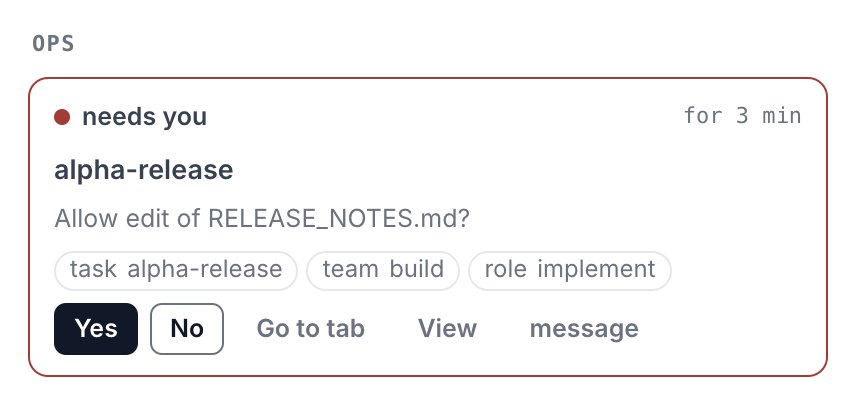
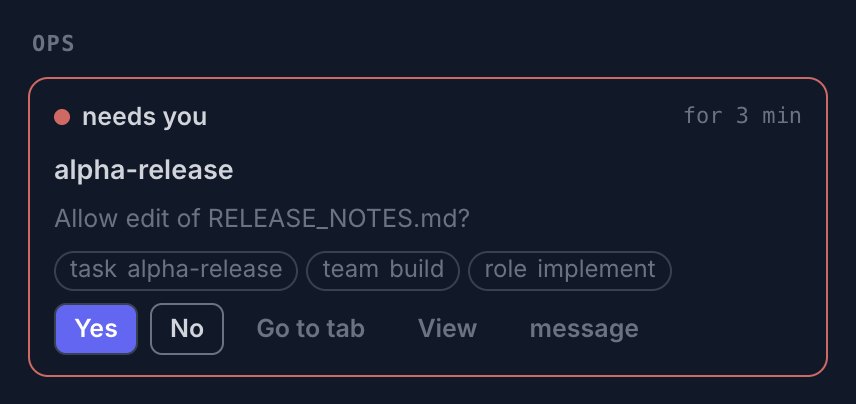
Start greets you and opens every page. Three pages carry most of a day. Here is the one part of each that matters, at its real size, from the demo above and in the theme you are reading in.
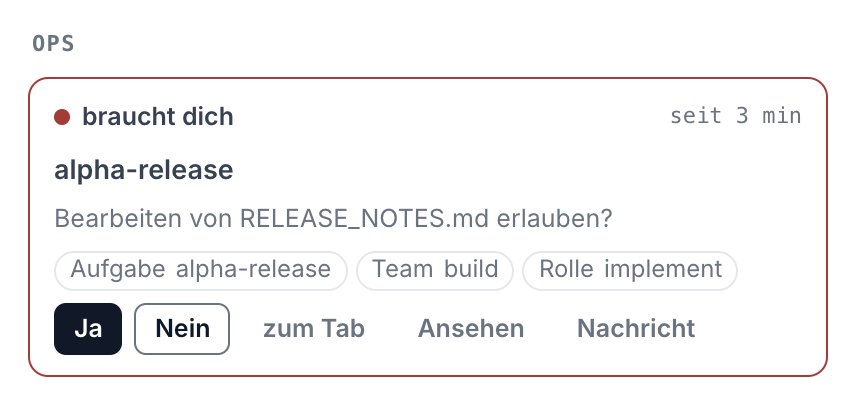
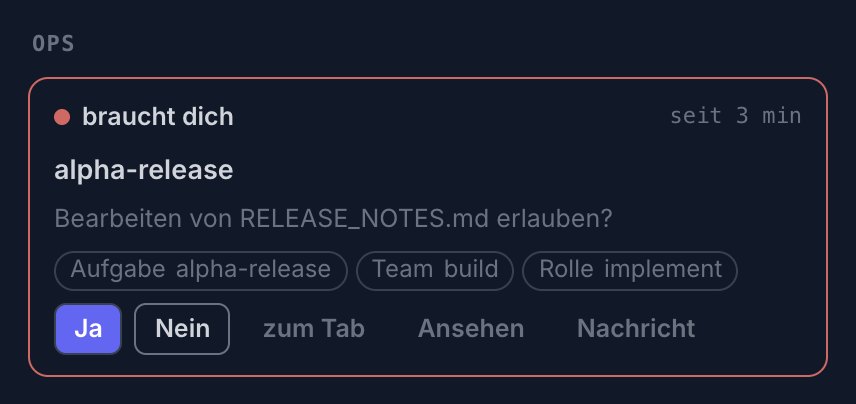
Start begrüßt dich und öffnet jede Seite. Drei Seiten tragen den größten Teil eines Tages. Hier ist von jeder der eine Teil, auf den es ankommt, in echter Größe, aus der Demo oben und im Design, in dem du gerade liest.
Today
Heute
What waits for you, and the tabs that ask
Was auf dich wartet, und die Tabs, die fragen
On the left your day: what waits for you, what you can hand off, the backlog. In the middle the detail of the row you clicked, with every action it allows. On the right the agent tabs, grouped by workspace: a tab that asks for a yes gets Yes and No right there. The buttons speak four verbs, here and in every other place:
Links dein Tag: was auf dich wartet, was du übergeben kannst, der Backlog. In der Mitte das Detail der Zeile, die du angeklickt hast, mit jeder Aktion, die sie erlaubt. Rechts die Agent-Tabs, nach Workspace gruppiert: ein Tab, der ein Ja braucht, bekommt Ja und Nein gleich dort. Vier Knöpfe tauchen hier und überall sonst auf:
- Get it doneErledigen lassen
- AdviseBeraten
- AskFragen
- CloseAbhaken
Sessions
Sitzungen
Who is working on what
Wer woran arbeitet
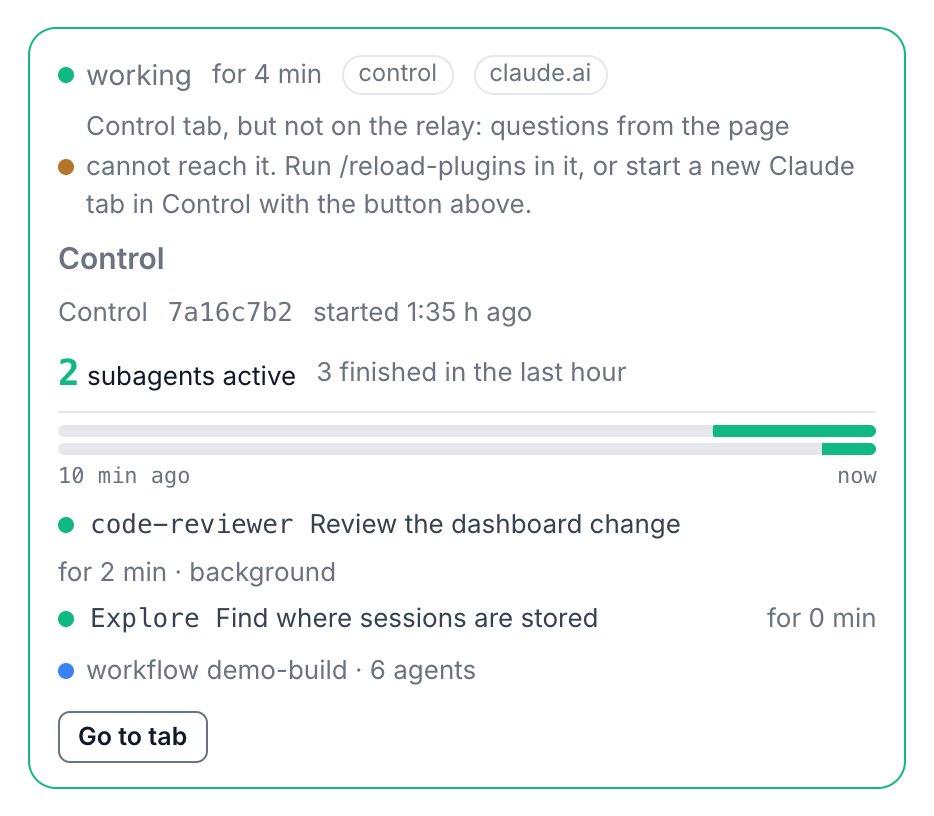
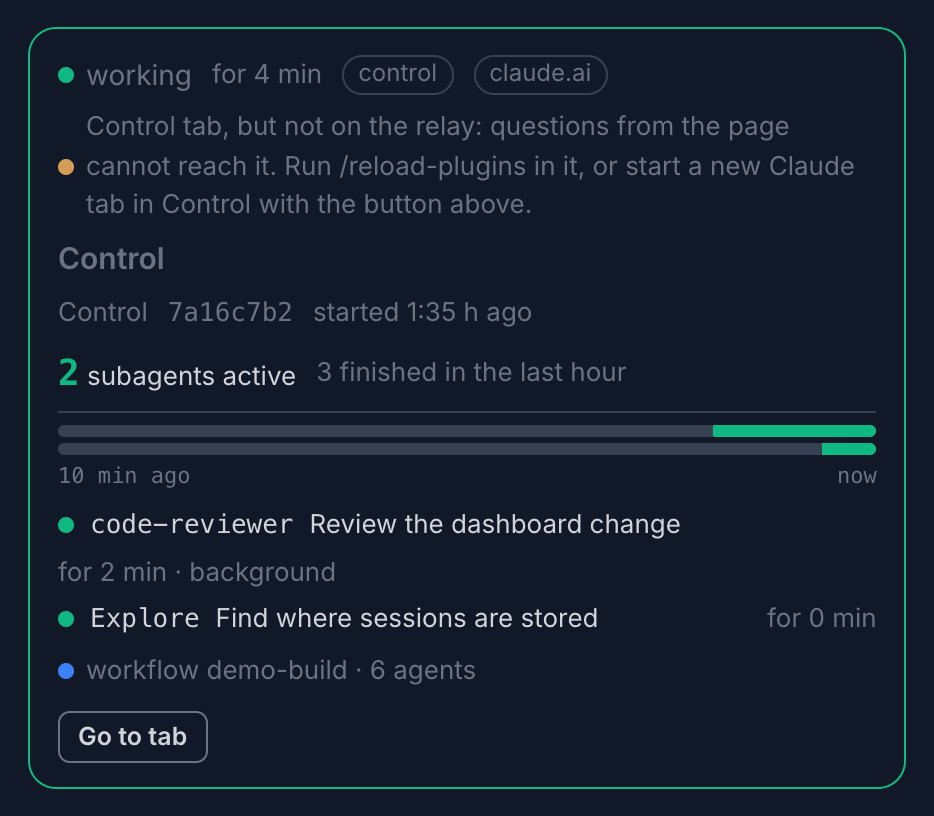
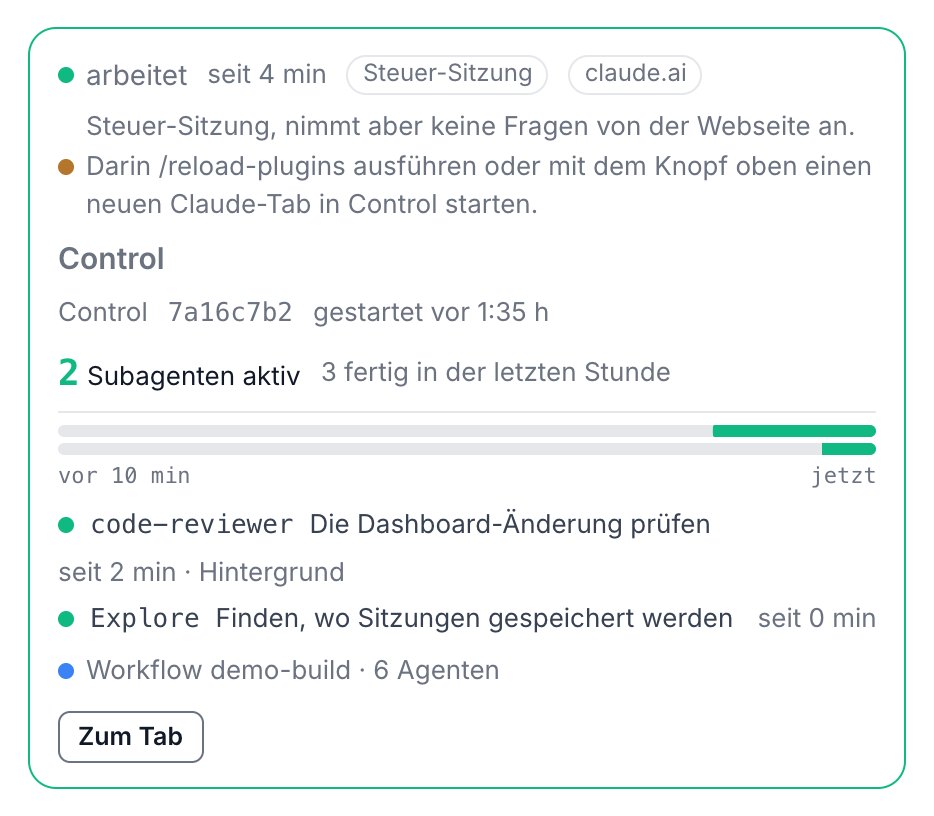
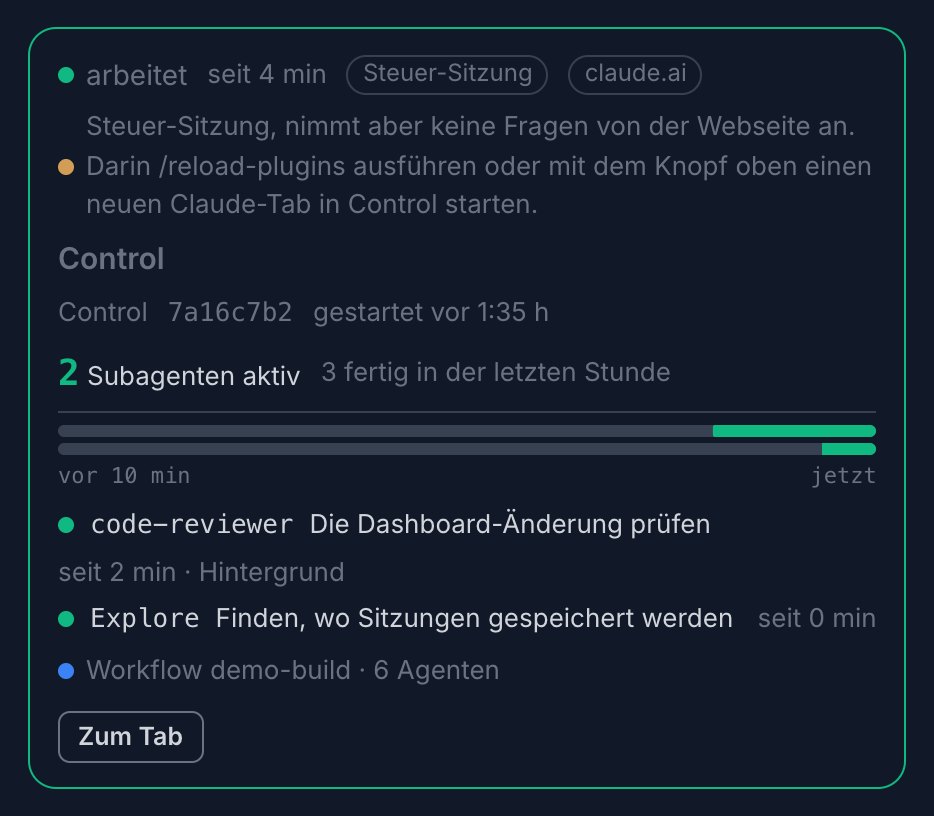
Every Claude Code session on this machine as a card, this Bridge first: working, ready, needs you or waiting, since when, and its subagents with what each one does and for how long. A click jumps to the session's tab.
Jede Claude-Code-Sitzung auf diesem Rechner als Karte, diese Bridge zuerst: arbeitet, bereit, braucht dich oder wartet, seit wann, und ihre Subagenten mit dem, was jeder tut und wie lange schon. Ein Klick springt in den Tab der Sitzung.
Your own pages
Deine eigenen Seiten
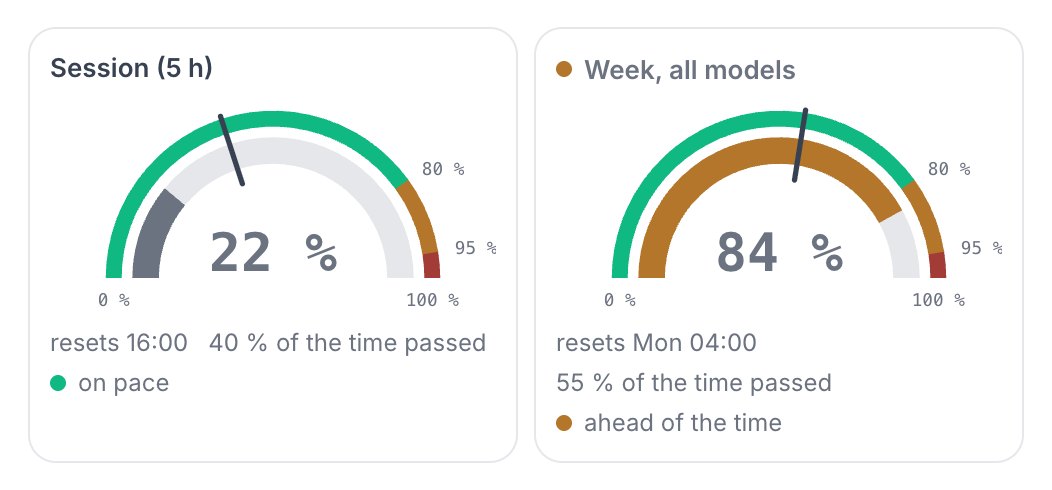
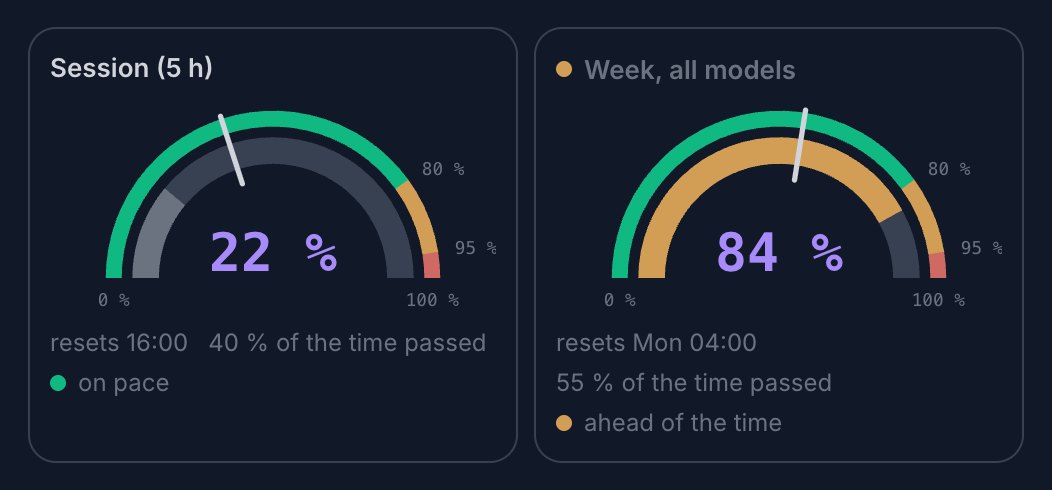
A quota against the clock
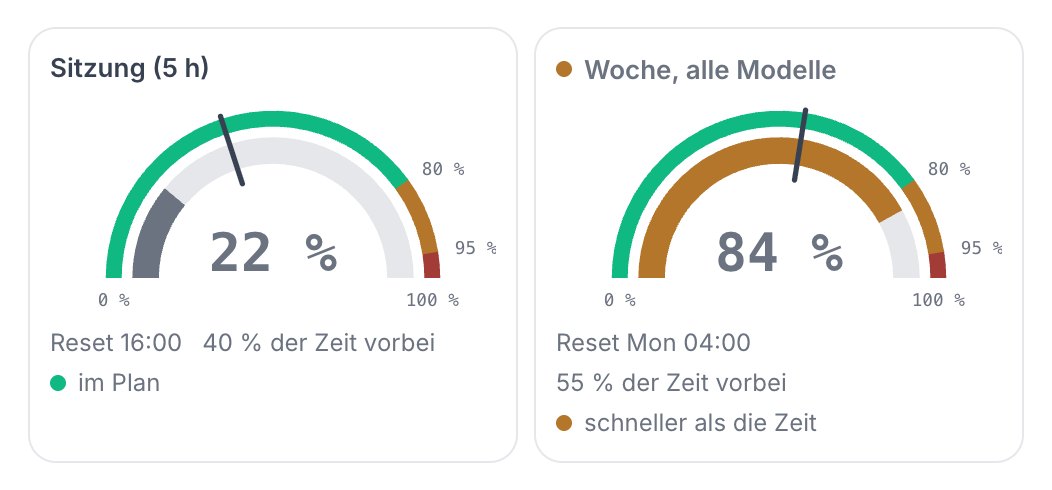
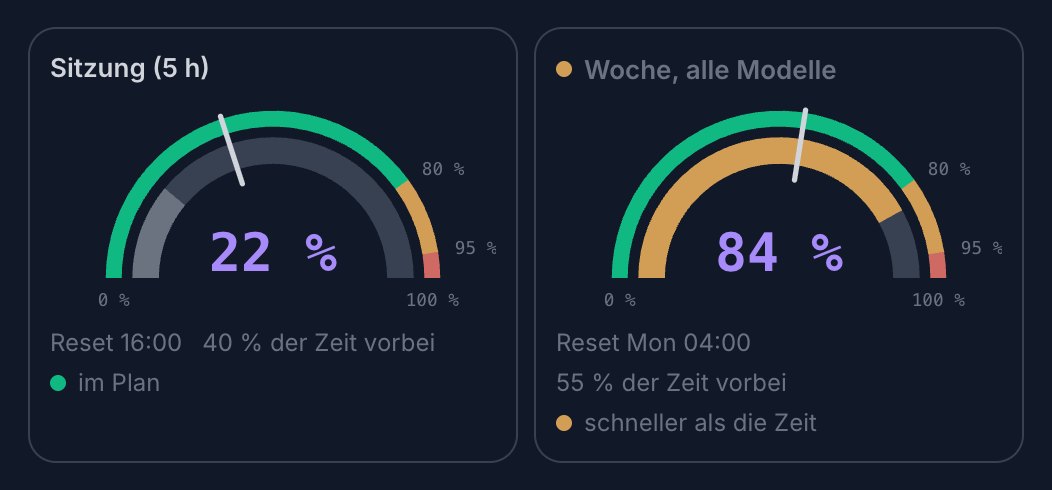
Ein Kontingent gegen die Uhr
Pages like this one come from your briefing profile. This one shows the quotas of the session and the week, each against how much of its window has passed, so you see at once whether 84 % is on pace or ahead of the time.
Seiten wie diese kommen aus deinem Briefing-Profil. Diese zeigt die Kontingente der Sitzung und der Woche, jedes gegen den Teil seines Zeitfensters, der schon vorbei ist. So siehst du sofort, ob 84 % im Plan liegen oder der Zeit voraus sind.
Phone
Handy
The same page in one column
Dieselbe Seite in einer Spalte
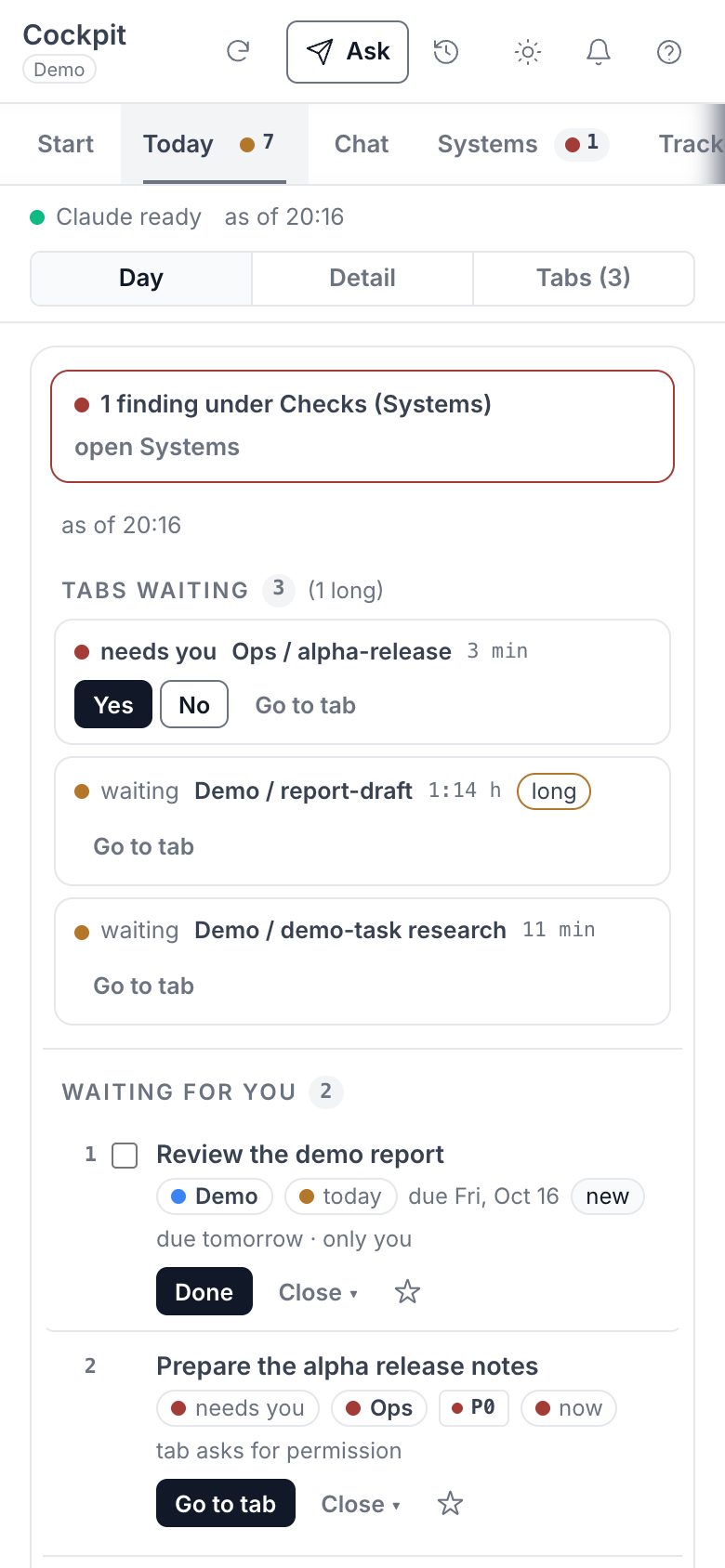
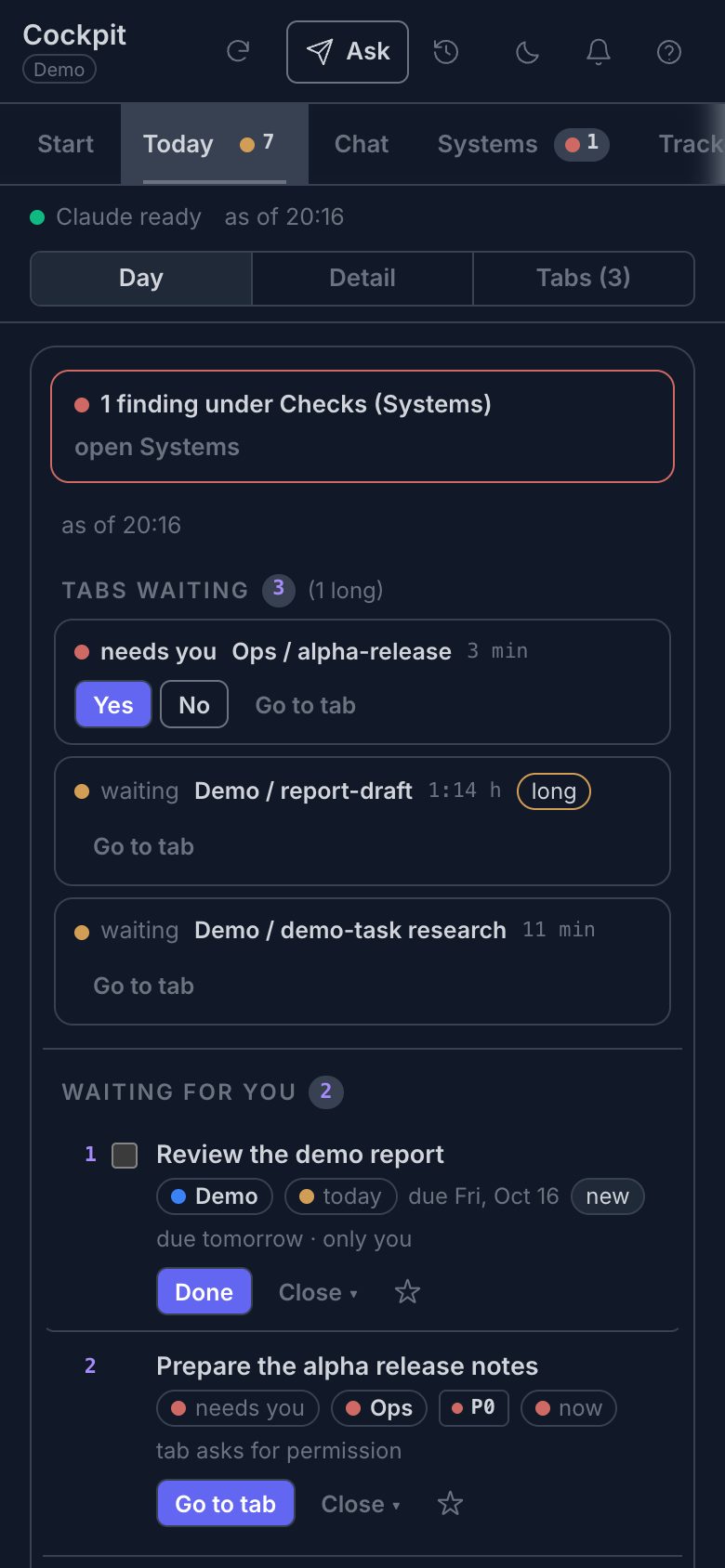
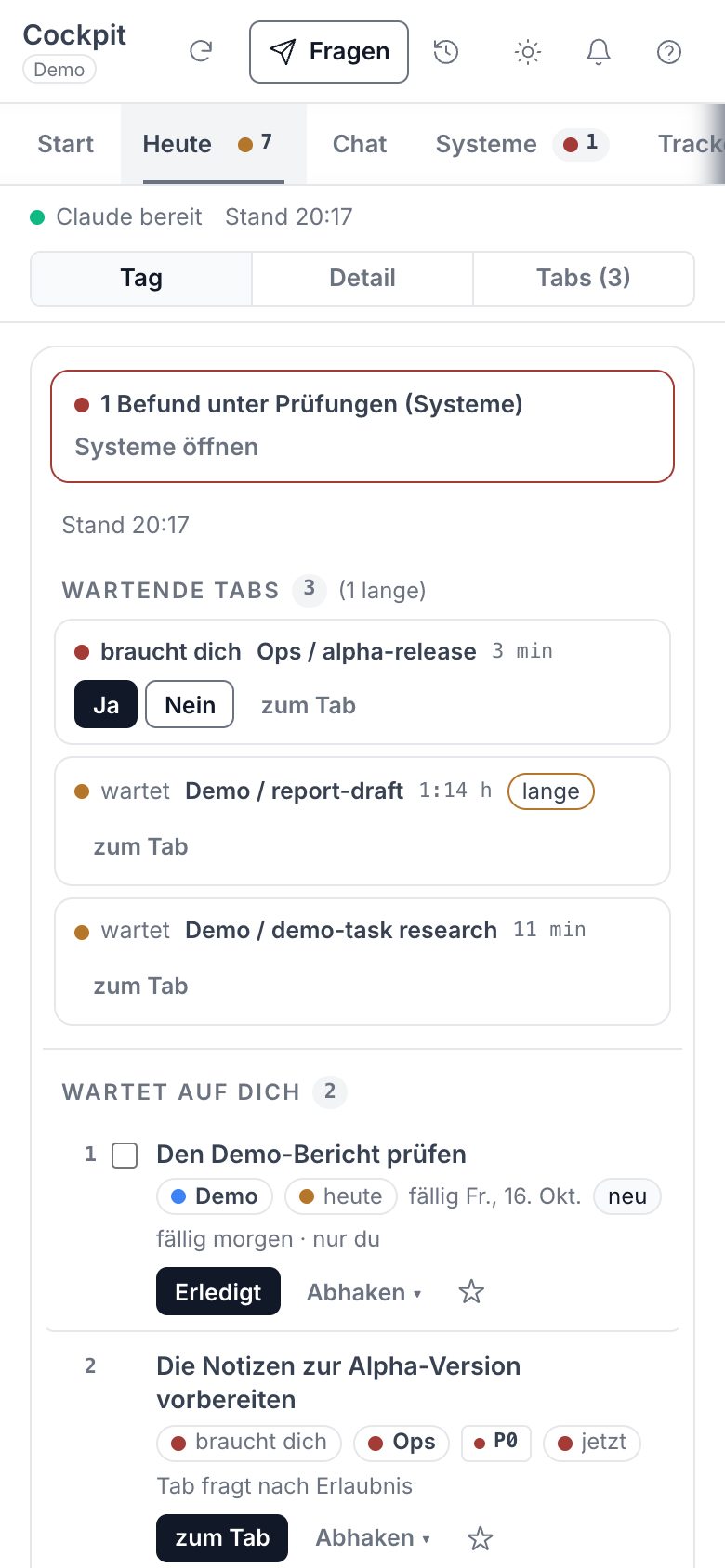
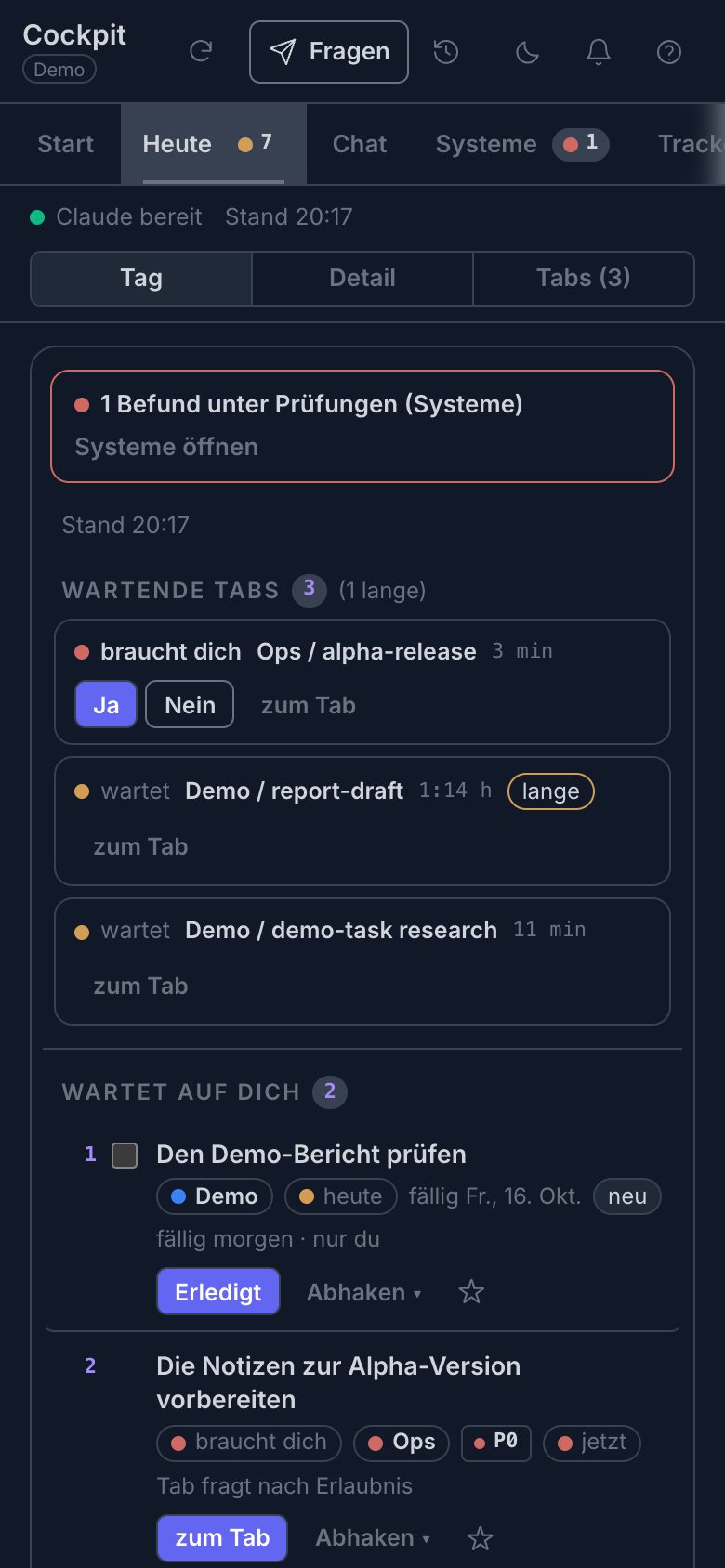
On a phone width the Today page becomes one column with Day, Detail and Tabs to switch between. A tab that asks still gets its Yes and No first.
Auf Handybreite wird die Seite Heute zu einer Spalte mit Tag, Detail und Tabs zum Umschalten. Ein Tab, der fragt, bekommt sein Ja und Nein trotzdem zuerst.
Fits your Bridge
Passt zu deiner Bridge
It adapts to the Bridge it runs in
Es passt sich der Bridge an, in der es läuft
The cockpit is tied to no look, no language and no fixed set of pages. Three things come from the Bridge itself.
Das Cockpit ist an kein Aussehen, keine Sprache und keine feste Auswahl an Seiten gebunden. Drei Dinge kommen aus der Bridge selbst.
- 1
Colours and fontsFarben und Schriften
Taken from the
DESIGN.mdof that Bridge. A Bridge without one gets neutral defaults. The demo above uses the open-bridge one.Aus der
DESIGN.mddieser Bridge übernommen. Eine Bridge ohne diese Datei bekommt neutrale Vorgaben. Die Demo oben nutzt die von open-bridge. - 2
LanguageSprache
cockpit.language, else your conversation language, else English.cockpit.language, sonst deine Gesprächssprache, sonst Englisch. - 3
Your own briefingDein eigenes Briefing
The pages and what stands on them come from your briefing profile. Without one of your own, a built-in profile runs.
Die Seiten und was darauf steht, kommen aus deinem Briefing-Profil. Ohne eigenes läuft ein eingebautes Profil.
Safety
Sicherheit
Local only, and nothing goes out by itself
Nur lokal, und nichts geht von allein raus
The page can approve inbox entries and start agents, so it is built to do nothing a stranger could trigger.
Die Seite kann Posteingangs-Einträge freigeben und Agenten starten. Deshalb ist sie so gebaut, dass kein Fremder etwas auslösen kann.
- 127.0.0.1Local address only. The server never answers on every interface of your computer.Nur lokale Adresse. Der Server antwortet nie auf allen Schnittstellen deines Rechners.
- token → cookieSchlüssel → CookieA sign-in link with a key. You open it once, the server swaps the key for a cookie, and the address bar keeps no key.Ein Anmeldelink mit Schlüssel. Du öffnest ihn einmal, der Server tauscht den Schlüssel gegen ein Cookie, und die Adressleiste behält keinen.
- host · originOnly from the page itself. Every request must name the local host, every click must come from the page, and the page allows no frames and no scripts from elsewhere (the live page, the demo here is a static copy).Nur von der Seite selbst. Jede Anfrage muss den lokalen Host nennen, jeder Klick muss von der Seite kommen, und die Seite erlaubt keine Frames und keine fremden Skripte (die echte Seite, die Demo hier ist eine statische Kopie).
- verbsVerbenVerbs, never commands. A fixed list, every id checked again, and only scripts from the Bridge's own list run.Verben, nie Befehle. Eine feste Liste, jede ID noch einmal geprüft, und es laufen nur Skripte aus der eigenen Liste der Bridge.
- audit.logOne line per write action: time, verb, rows and exit codes, never a text and never the key.Eine Zeile je Schreibaktion: Zeit, Verb, Zeilen und Exit-Codes, nie ein Text und nie der Schlüssel.
- HMACQuestions to Claude are signed with a key outside the Bridge, so a program that merely writes files into your repository cannot forge one.Fragen an Claude sind signiert, mit einem Schlüssel außerhalb der Bridge. Ein Programm, das nur Dateien in dein Repository schreibt, kann keine fälschen.
These four stay off until you switch them on.
Diese vier bleiben aus, bis du sie einschaltest.
- relayHands questions from the page to your control session. Needs the optional mod
cockpit-relay.Reicht Fragen von der Seite an deine Steuer-Sitzung weiter. Braucht den optionalen Modcockpit-relay. - triage_dailySorts every task and inbox item once a day by itself, with a small model call. Otherwise only on a click.Sortiert jede Aufgabe und jeden Posteingangs-Eintrag einmal am Tag von allein, mit einem kleinen Modellaufruf. Sonst nur auf Klick.
- JevOrders your rows by urgency through an external API. Details below.Ordnet deine Zeilen über eine externe API nach Dringlichkeit. Details unten.
- autostartStarts the cockpit when you log in on macOS and again after a crash, never after
stop.Startet das Cockpit beim Anmelden unter macOS und nach einem Absturz neu, nie nachstop.
A request to api.typesafe.ai carries today's date, the name from cockpit.person_name (else "the user"), one sentence about you if you set it, and rows of the page. The Jev tab sends up to 20 rows with only these fields where a row has them:
Eine Anfrage an api.typesafe.ai trägt das heutige Datum, den Namen aus cockpit.person_name (sonst „the user“), einen Satz über dich, falls gesetzt, und Zeilen der Seite. Der Jev-Tab sendet bis zu 20 Zeilen mit nur diesen Feldern, wo eine Zeile sie hat:
titlewhypriorityurgencydueareagatebucketsectiontask typeinbox stateNever a detail text, a file, a path, a log line or an inbox event. The Jev tab has no private filter, so keep rows that must not leave your computer off its page, or leave Jev off.
Nie einen Detailtext, eine Datei, einen Pfad, eine Logzeile oder ein Posteingangs-Ereignis. Der Jev-Tab hat keinen Privat-Filter. Halte Zeilen, die deinen Rechner nicht verlassen dürfen, von seiner Seite fern, oder lass Jev aus.
One limit. Browsers send a cookie to every server on 127.0.0.1, whatever its port. Another local web server you open could read the key. Stop the cockpit (bridge-cockpit.py stop) while you test web code you do not trust on this computer.
Eine Grenze. Browser senden ein Cookie an jeden Server auf 127.0.0.1, egal welcher Port. Ein anderer lokaler Webserver, den du öffnest, könnte den Schlüssel lesen. Halte das Cockpit an (bridge-cockpit.py stop), solange du Web-Code testest, dem du auf diesem Rechner nicht traust.
Set it up
Einrichten
Switch it on in three steps
In drei Schritten einschalten
You need an onboarded Bridge, so a bridge-config.yaml in the repo root, and python3 with PyYAML.
Du brauchst eine eingerichtete Bridge, also eine bridge-config.yaml im Repo-Wurzelverzeichnis, und python3 mit PyYAML.
cockpit:
  enabled: true
/cockpit

# or from any terminal in the Bridge rootoder aus jedem Terminal im Bridge-Wurzelverzeichnis
python3 scripts/bridge-cockpit.py open
Switch it onEinschalten
Add the
cockpit:block. Every other key is optional and has a default.bridge-config.yaml.templatelists them.Füge den Block
cockpit:hinzu. Jeder weitere Schlüssel ist optional und hat einen Standardwert.bridge-config.yaml.templatelistet sie auf.Open itÖffnen
/cockpitstarts the server, or reuses the running one, and opens the page./cockpitstartet den Server, oder nimmt den laufenden, und öffnet die Seite.Keep the bookmarkLesezeichen behalten
Open the link once. It sets a cookie, and from then on the plain address works as a bookmark in that browser.
Öffne den Link einmal. Er setzt ein Cookie, und danach funktioniert die einfache Adresse in diesem Browser als Lesezeichen.
Go deeper
Tiefer einsteigen
Read next
Weiterlesen
docs/bridge-cockpit.mdThe full guide: every page, the keyboard, the safety model, the relay and the files.Die ganze Anleitung: jede Seite, die Tastatur, das Sicherheitsmodell, das Relay und die Dateien.
docs/bridge-cockpit-dev.mdChanging the code, the tests and how the demo is rebuilt.Den Code ändern, die Tests und wie die Demo neu gebaut wird.
docs/briefings.mdThe briefing profile that decides what the pages show.Das Briefing-Profil, das bestimmt, was die Seiten zeigen.
docs/workplace.mdAgent tabs and the terminal drivers for cmux and tmux.Agent-Tabs und die Terminal-Treiber für cmux und tmux.
docs/inbox.mdWhat stays open, who closes it, and when an approved action runs.Was offen bleibt, wer es schließt und wann eine freigegebene Aktion läuft.
Get startedLoslegen
One prompt. Your own private bridge.Ein Prompt. Deine eigene, private Bridge.
Paste it into Claude Code, Codex or Copilot CLI. Your agent follows SETUP.md, shows you its plan and waits for your go.Kopier ihn in Claude Code, Codex oder Copilot CLI. Dein Agent folgt SETUP.md, zeigt dir seinen Plan und wartet auf dein Go.